Learning Center » Home Improvement
Introducing Instant Design

See New Roofing, Siding and Windows on Your Own Home in Seconds with HANSONS Instant Design
Most exterior regrets don’t come from bad installation. They come from a color that looked perfect on a small sample and completely different once it covered the whole house.
Colors change at scale. A siding chip you hold in your hand usually looks lighter and brighter across an entire wall. A shingle you loved in the brochure can clash with brick you’re keeping. White trim that looked crisp in the showroom can disappear next to light siding.
HANSONS Instant Design fixes that. Upload one photo of your house, and in seconds you’ll see it with new roofing, siding, and windows. You can try as many combinations as you like. It’s free, there’s no app to download, and you don’t need any design experience.
Used our old Design Studio app? Instant Design replaces it. There’s no app to download, no eight-photo shoot, and no waiting a day for results.”
How Instant Design Works
1. Open Instant Design
Go to hansons.com/instant-design. It works on your phone, but a laptop or desktop is easier for detail work. The bigger screen shows fine color differences better, and a mouse makes switching materials more precise.
2. Upload one photo of your home
A single picture is all it takes. See the photo tips below to get the most realistic result.
3. Try styles and colors
Choose from multiple styles and colors for roofing, siding, and windows. Create as many designs as you want. Try the bold color you’re curious about next to the safe choice you’re leaning toward.
4. Share your favorites
Send your designs directly to your spouse, family, or whoever else gets a vote. Everyone can see the same options instead of trying to picture what you mean.
5. Bring your shortlist to your free estimate
When you’ve narrowed it down, schedule your free estimate.
How to Take a Photo That Gives You a Realistic Result
The photo is your design canvas, so a few seconds of care makes a big difference:
- Shoot straight on from the street or sidewalk. Steep angles distort the roofline and make siding proportions look wrong.
- Fit the whole house in the frame, roof included. Roofing is one of the largest surfaces you’ll be choosing, so get all of it in the shot.
- Choose even light. A bright, overcast day or mid-morning works best. Harsh afternoon sun throws shadows that hide detail.
- Clear what you can. Move cars out of the driveway and avoid shooting through tree branches when possible.
- Start with the side that matters most. Usually that’s the front, the view you and everyone else see every day.
Three Design Decisions Instant Design Makes Easier
Roof and siding together, not separately
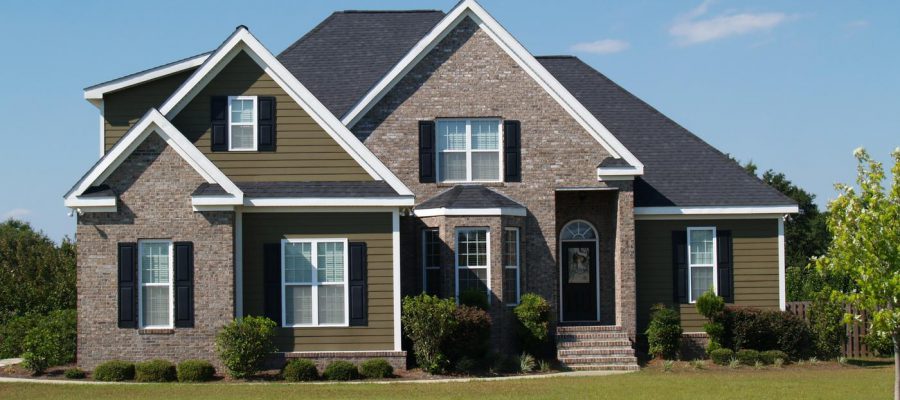
Many homeowners choose roofing and siding at different times, or even years apart. A charcoal roof and a gray siding can each look great on their own and still turn flat and lifeless together. Seeing both on your house at once shows you right away whether you need more contrast.
Going darker (or not)
Deep blues, greens, and charcoals are popular right now. On some homes they look sharp. On others, with little trim or few architectural details, the house can look like one dark block. Try it on your own photo before you commit. [Link to the 2026 exterior design trends post here.]
Working with what’s staying
If your brick, stone, front door, or landscaping is staying, every new color has to work with it. Instant Design starts with your actual house, so those fixed elements are part of every design you try.
What a Photo Design Can’t Tell You
Instant Design is the fastest way to narrow your choices, but it’s a planning tool, not a final order. Screens change how colors look depending on brightness and settings, and a single photo shows one side of your home. Measurements, product details, and pricing come from your free in-home estimate, where you can see real samples on your actual house in daylight.
Frequently Asked Questions
What is HANSONS Instant Design?
It’s a free online tool that lets you create unlimited home designs from a single photo. Upload a picture of your house and choose from multiple styles and colors for roofing, siding, and windows.
How much does it cost?
Nothing. Instant Design is completely free.
Do I need to download an app?
No. Instant Design runs right on the HANSONS website.
Can I use it on my phone?
Yes. It works on mobile devices, but a desktop or laptop gives you a bigger view and more precise control.
Do I need design experience?
No. Instant Design is built for homeowners, not professional designers. Snap a photo, pick a style, and the tool does the rest.
Can I share my designs?
Yes. You can share designs directly with friends and family so they can review your options before you start your project.
See your home’s next look before you spend a dollar.
Try Instant Design Free
Ready to talk options and pricing? Get My Free Estimate
Get a Free Estimate Today
50% off installation. No interest & no payments for 12 months See details.
More About
Home Improvement